

How to Build a Faster Video Editing Workflow With AI
- By - HeySERP Team.
- 29 Sep, 2026

Video editing often takes longer than the actual creative decisions suggest. A short interview can involve hours of footage review, take selection, transcript cleanup, timeline assembly, audio adjustments, colour correction, and multiple exports. When several projects are moving at once, those operational tasks can become the biggest constraint on an editor's time.
AI can help, but simply adding an AI tool to an existing workflow does not automatically make the process faster. The bigger opportunity is deciding which parts of the workflow should be automated, which should remain manual, and where AI can act on the project rather than just produce isolated assets.
This guide breaks down a practical AI video editing workflow, from organizing raw footage to creating final versions, with a focus on keeping editorial control throughout the process.
Start by Identifying the Slowest Part of Your Workflow
Before choosing an AI video editor, look at where time is actually being spent.
For some editors, the biggest problem is reviewing hours of footage. For others, it is creating a first cut, cleaning dialogue, producing captions, matching shots, or creating multiple versions for different platforms.
A useful workflow audit can be as simple as tracking the stages of a few recent projects:
- Media organization
- Footage review
- Take selection
- Transcription
- Rough-cut assembly
- Fine editing
- Audio cleanup
- Colour correction
- Captions and localization
- Social cutdowns
- Exports and revisions
The goal is not to automate everything. It is to find repetitive work where AI can reduce manual effort without interfering with decisions that require editorial judgment.
Use AI to Understand the Footage Before You Edit
One of the most time-consuming parts of post-production is finding the right material.
When a project contains hours of interviews, B-roll, multiple takes, or several camera angles, manually scrubbing through everything can delay the first meaningful cut.
AI-assisted footage search can make this stage more efficient by allowing editors to locate content using descriptions rather than relying entirely on filenames, bins, or memory.
For example, instead of remembering where a particular shot appears in a two-hour recording, an editor could search for a specific person, action, scene, piece of dialogue, or visual moment.
This does not remove the need to review the footage. It changes how quickly you can get to the relevant material.
Make your footage searchable
Consistent file naming and sensible media organization still matter. AI works best when it is part of an organized workflow rather than being expected to fix every problem created during production.
If you regularly edit interviews or long recordings, transcripts can also become a useful layer for finding specific sections and understanding the structure of the material before building the timeline.
Let AI Handle the First Assembly
The first assembly is one of the clearest opportunities for AI assistance.
Editors often spend hours comparing takes, removing false starts, cutting repeated statements, and arranging usable clips before they can properly evaluate the story. These tasks require some judgment, but much of the execution is repetitive.
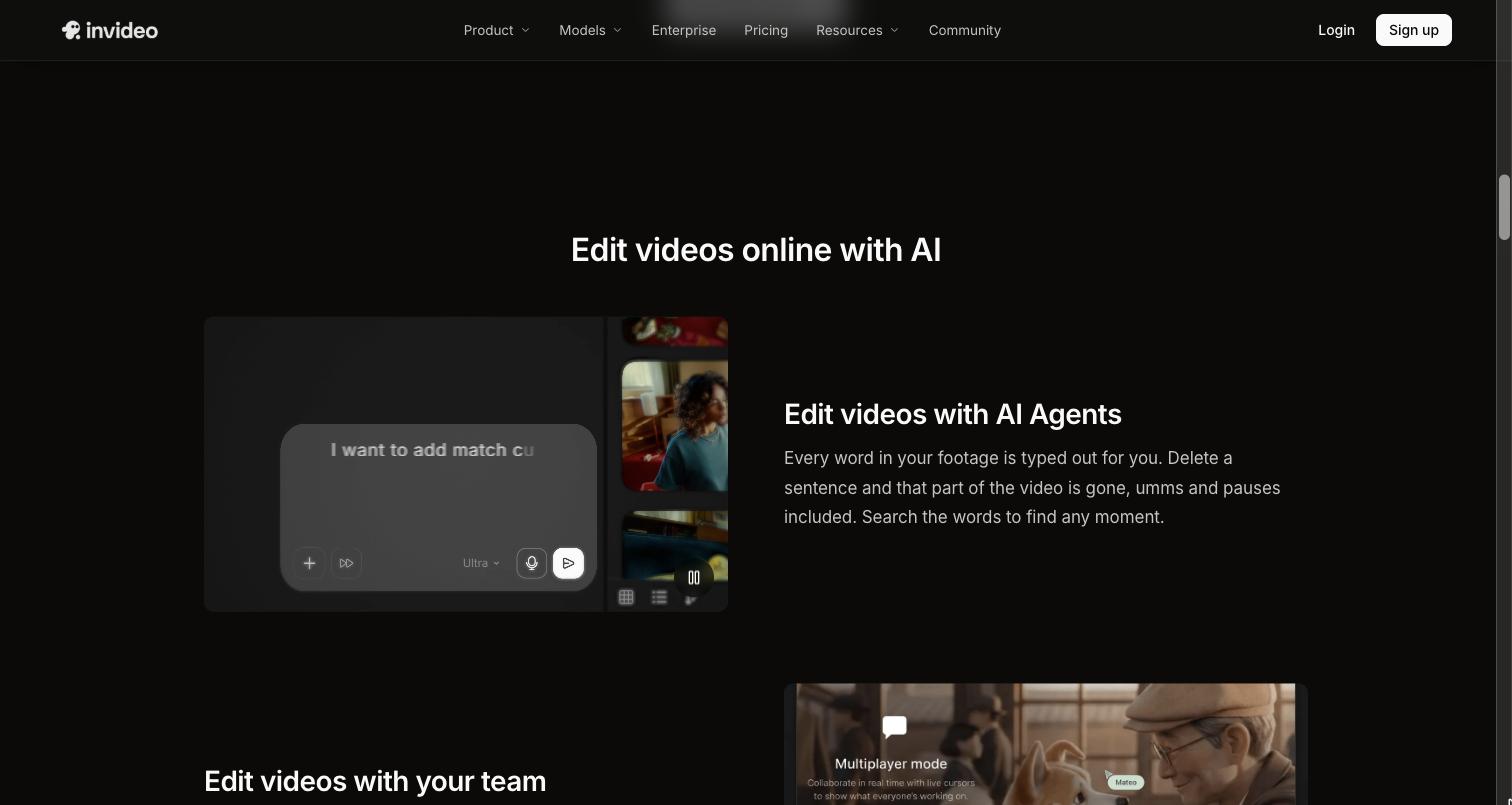
An agentic video editing workflow changes this step by allowing an AI agent to work directly with the footage and timeline based on editorial direction.
As an online video editing platform, invideo editor allows editors to provide footage and instructions for a base cut. Its AI editing agents can review source material, select usable takes, remove repetition, and assemble the selected material on an editable timeline.
That approach is different from asking an AI tool to generate a finished video. The result is a starting point that the editor can inspect, change, and continue editing.
This can be useful for several types of projects. A scripted single-camera recording can be assembled against the script, while an unscripted recording can be reviewed for repeated points and unnecessary sections. Multicam footage can also be synchronized and assembled into a layered starting cut.
The key is to treat AI assembly as a first pass, not the final editorial decision.
Give AI Specific Editorial Direction
The quality of an AI-assisted workflow depends partly on the direction you provide.
Instead of vague instructions such as "make this better," give the agent a clear objective.
For example:
- Remove repeated answers but keep the strongest take.
- Build a five-minute cut focused on the product demonstration.
- Keep the speaker's natural pauses but remove false starts.
- Use the wide shot when both speakers are talking and close-ups for individual responses.
- Build the sequence chronologically and keep the original dialogue intact.
Specific instructions give the AI a clearer set of constraints and make the resulting timeline easier to evaluate.
This is particularly useful when working with AI editing agents because the editor remains responsible for defining what the cut should accomplish.
Move From Rough Cut to Editorial Refinement
Once AI has completed the repetitive first pass, the editor's role becomes more focused.
Review the timeline for:
- Story structure
- Performance quality
- Pacing
- Continuity
- Shot selection
- Transitions
- Unnecessary information
- Moments that need more context
This is where human judgment remains central.
A technically clean edit can still feel flat or confusing. AI can identify patterns and perform operations quickly, but the editor needs to decide whether a particular pause creates tension, whether a reaction shot changes the meaning of a scene, or whether removing a seemingly unnecessary line damages the story.
The faster workflow is therefore not "AI edits everything." It is "AI handles more execution while the editor spends more time making decisions."
For workflows built around invideo editor, this distinction is especially relevant because the agent's work remains on the editing timeline. An editor can review the assembled sequence, make manual changes, or give the agent another instruction instead of starting the project again from the source footage.
Use AI for Finishing Tasks Without Losing the Look
After the structure is working, AI can help accelerate parts of the finishing process.
Audio cleanup, captions, localization, colour adjustments, and versioning can all become repetitive when applied across a large project.
Colour is a good example. An editor may need to correct exposure, balance colour temperature, match shots, and then develop a consistent look across a sequence. AI-assisted grading can help establish a treatment from a written description or a reference image, after which the editor can refine the result manually.
For more controlled work, professional colour tools such as colour wheels, curves, LUTs, hue adjustments, and scopes remain useful. The important point is that AI can provide a starting direction without preventing the editor from making precise changes.
The same principle applies to audio. Let automation handle repetitive cleanup where appropriate, then listen critically and make the final decisions yourself.
Invideo editor can fit into this stage as well when an editor wants to describe a colour treatment to an AI agent, use a reference image, and then refine the result with manual colour controls. That keeps the creative look connected to the same timeline rather than treating grading as a completely separate step.
Create Versions From the Same Master Edit
A fast editing workflow should also account for what happens after the main cut is finished.
One project may need a full-length version, a trailer, short social clips, vertical edits, subtitles, localized versions, or platform-specific exports.
Instead of rebuilding each version from scratch, use the master project as the source for your variations.
AI can help identify sections suitable for cutdowns, adapt content to different durations, or handle repetitive localization work. The editor can then review each version for context, pacing, branding, and platform requirements.
Invideo editor also supports this kind of timeline-based versioning, allowing an existing project to be adapted into different cuts while keeping the editing work within the project. For teams producing several deliverables from the same footage, that can reduce the need to repeat basic assembly work for every output.
Keeping versions connected to the original project also makes later revisions easier.
Build a Human-in-the-Loop Workflow
The most practical approach to AI video editing is to divide the work according to the strengths of each side.
Let AI handle repetitive execution
Good candidates include:
- Reviewing large amounts of footage
- Finding specific moments
- Removing obvious repetition
- Creating a first assembly
- Generating captions
- Cleaning up routine audio issues
- Creating alternate versions
- Applying consistent adjustments across selected material
Keep editorial decisions with the editor
Human review remains important for:
- Story structure
- Final take selection
- Performance decisions
- Rhythm and pacing
- Visual continuity
- Creative intent
- Colour style
- Final sound decisions
This division also makes AI easier to trust. Rather than handing over an entire project and accepting an opaque result, you can introduce automation at specific stages and review the output before moving forward.
Keep the Timeline Editable
A fast workflow should not create more work later.
If an AI tool produces a result that cannot be inspected or adjusted, you may save time during one stage only to lose it during revisions.
An editable timeline gives you a different workflow. You can see what was selected, replace a take, change the order, adjust timing, refine colour, modify audio, or remove an AI-generated decision.
This is one of the practical differences to look for when evaluating tools such as invideo editor. AI assistance is more useful in professional workflows when the editor can inspect the underlying edit and continue working on it rather than receiving only a final rendered file.
Measure Time Saved Across the Whole Project
Finally, measure workflow improvements across the complete editing cycle rather than focusing on one AI feature.
If AI saves an hour during footage review but creates additional revision work later, the overall workflow may not be faster.
Track practical measures such as:
- Time from footage import to first assembly
- Time spent searching for clips
- Number of manual take comparisons
- Time required for cutdowns
- Number of revision cycles
- Time spent preparing localized versions
These measurements help identify which AI-assisted processes are actually improving your production pipeline.
Final Takeaway
Building a faster video editing workflow with AI is less about replacing the editor and more about changing where the editor spends time.
Use AI to understand large amounts of footage, handle repetitive assembly, search for moments, assist with cleanup, and create versions. Keep creative direction, story structure, performance choices, pacing, and final quality decisions under human control.
The most effective workflow is usually a hybrid one. AI takes on the repetitive execution, while the editor remains responsible for the decisions that give the project its structure and character. When those roles are clearly separated, AI becomes a practical part of the editing process rather than another tool that adds complexity.


Services
Resources
Contact
Plot No. 17, S/F, Kh. No. 31/24/17/14 and 25, Sector 7 Dwarka, New Delhi, India
Email: [email protected]
Skype: live:5unnykum4r